Apache OpenNLP and the Model Context Protocol
This post is based on the talk I gave at Community Over Code on Apache OpenNLP and the Model Context Protocol. The short version: large language models are showing up in everything, but that doesn’t mean you have to use one for every task. MCP gives you a clean way to keep the LLM for what it’s good at while handing the foundational NLP work to a cheaper, faster tool like Apache OpenNLP.
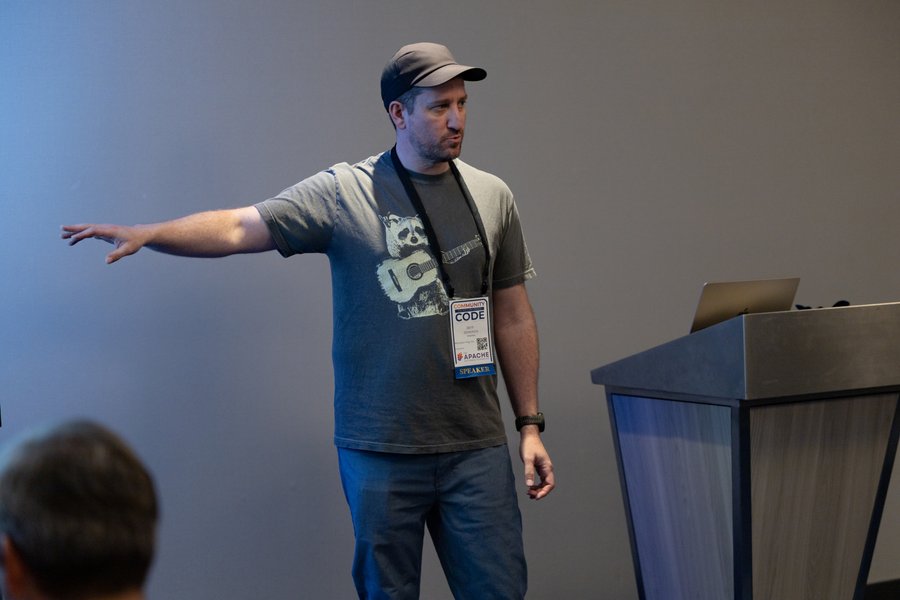
Presenting this talk at Community Over Code.
A quick reminder: what is Apache OpenNLP?
Apache OpenNLP is a machine-learning-based toolkit for processing natural language text. It handles the foundational tasks: tokenization, sentence segmentation, named-entity extraction, chunking, language detection, part-of-speech tagging, and document classification. It’s been a top-level Apache project since 2012, with roots going back to around 2003, and modern versions even support ONNX models.
As PMC Chair, I’ll note it’s also very much alive. In the past year the project shipped seven releases, added pre-trained models for more than thirty languages, and brought on a new PMC member and a new committer. This isn’t a legacy toolkit gathering dust.
Why use OpenNLP in a world full of LLMs?
The honest answer is: it depends on the task.
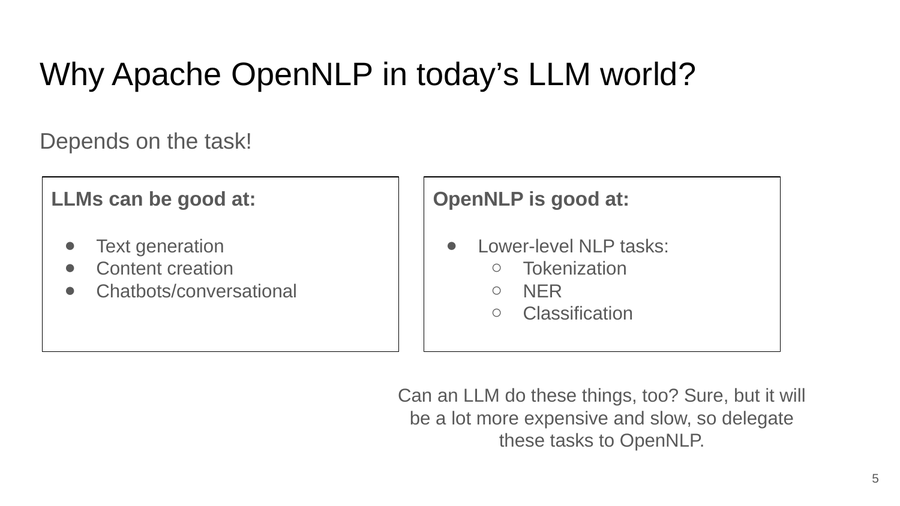
Different tools for different jobs. Delegate the lower-level NLP tasks to OpenNLP.
LLMs are genuinely good at text generation, content creation, and conversational interfaces. OpenNLP is good at the lower-level, well-defined tasks: tokenization, named-entity recognition, classification. Can an LLM do those things too? Sure. But it will usually be slower and far more expensive, so it makes sense to delegate them to a purpose-built tool.
And to be clear, I’m not making this argument just to keep OpenNLP relevant. It doesn’t need that. If anything, LLMs have been good for OpenNLP. They give us a reference point that makes it easy to quantify performance and cost, and they’ve made a lot more people familiar with NLP in general.
The numbers: cost vs. performance
Here’s a concrete comparison from a named-entity recognition benchmark I’ve used (there’s more detail in my Community Over Code 2023 talk). The exact figures depend on the task and hardware, but the shape of the result holds up:
| OpenNLP | LLM | |
|---|---|---|
| Training time | 185 seconds | 1.86 hours |
| Precision | 0.9388 | 0.9946 |
| Recall | 0.9586 | 0.9952 |
| F1 | 0.9486 | 0.9946 |
| Cost | ~$0.0034 | ~$2.25 |
The OpenNLP run was on an AWS t4g.large (2 vCPU / 8 GB) at about $0.0672/hour;
the LLM run was on a g5.xlarge (NVIDIA A10G) at $1.19/hour. The LLM is a bit more
accurate, but it costs roughly 650x more for this task. For a lot of
foundational NLP, that trade isn’t worth it. Always ask first: does this actually
require an LLM and the cost that comes with it?
The real problem: NLP at scale
Like most software, NLP capabilities often start life inside a larger monolith. To scale, teams break the NLP services out individually, and that introduces its own problems. Get enough models deployed and it becomes genuinely hard to keep track of them:
- Where are the models?
- What data were they trained on?
- How do we go about updating them?
This is where MCP enters the picture. Not as magic, but as a standard way to manage this sprawl when an LLM is already part of your architecture.
What is the Model Context Protocol?
The Model Context Protocol is, in the project’s own words, a kind of “universal remote” for AI applications. It defines a standard, open protocol for how an AI application talks to external capabilities, with SDKs for various languages.
Its core architecture has three roles:
- The host is the main AI application that manages the user’s experience (think Claude Desktop).
- The client is a component the host creates to manage a connection to a single MCP server, acting as the intermediary between host and server.
- The server is the external service that actually provides the capabilities.
If this feels familiar, it’s borrowed a good idea. MCP takes inspiration from the Language Server Protocol, which defines how an IDE talks to a language server for things like autocomplete and “find all references.” Microsoft built LSP for Visual Studio Code, and it turned an N-by-M integration problem into a single shared protocol. MCP does the same thing for AI applications.
From many APIs to one
That’s the key benefit for NLP at scale. Without MCP, an application talks to NLP service 1, service 2, and service 3, each with its own different API. With MCP, each NLP service exposes an MCP server, and the host application talks to all of them through one unified protocol.
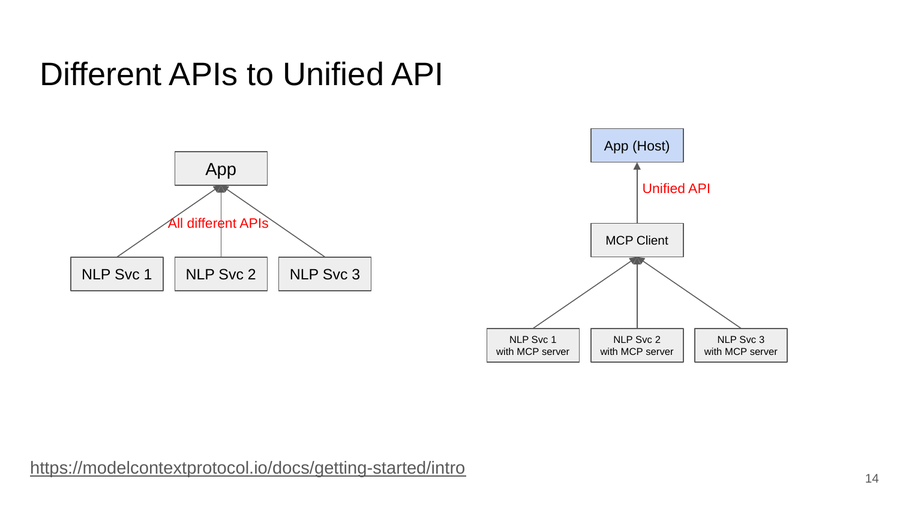
MCP turns many different NLP-service APIs into one unified API.
- It’s a universal adapter, because it’s a standard, open protocol.
- It’s plug-and-play, because new models and capabilities can be exposed without bespoke integration work.
- Services can scale independently.
It’s most useful precisely when an LLM is already in your architecture, which, increasingly, it is.
How MCP works with OpenNLP
The idea is simple: MCP servers provide access to OpenNLP capabilities as tools the LLM can call. The benefits include:
- Clearer understanding of model provenance.
- Easier model discovery and selection.
- Improved debugging and error resolution.
- Better compliance and auditing capabilities.
Are those benefits exclusive to MCP? No, but if you already have an LLM in the loop, MCP is a clean, standard way to get them.
Building an OpenNLP tool
Here’s what exposing OpenNLP’s tokenizer as an MCP tool looks like. First, the tool definition:
private static Tool createTokenizeTool() {
    return new Tool(
        ToolDefinition.builder()
            .name("tokenize")
            .description("Tokenizes a piece of text by splitting it into words and punctuation.")
            .param("text", String.class)
            .build(),
        (exchange) -> {
            String text = (String) exchange.getArguments().get("text");
            return tokenizer.tokenize(text);
        }
    );
}
Then load an OpenNLP model, build a server, register the tool, and run it:
InputStream modelIn = new FileInputStream("en-token.bin");
TokenizerModel model = new TokenizerModel(modelIn);
Tokenizer tokenizer = new TokenizerME(model);

McpSyncServer server = McpServer.sync(new StdioTransportProvider())
    .serverInfo("opennlp-tokenizer-server", "1.0.0")
    .tool(createTokenizeTool())
    .build();

server.run();
The description is the most important part
Notice the description on the tool. This is easy to skim past, and it’s the part
that matters most. The LLM uses the description to understand what your tool does
and, crucially, when to invoke it. A vague description means the model calls your
tool at the wrong times, or not at all.
So write clear, concise descriptions, and then evaluate them. Human judgments, automated tests, LLM-as-a-judge; whatever you can do to confirm the model selects the tool correctly. Honestly, this could be a whole talk of its own. Don’t overlook it.
Summary
LLMs are here, and people will insist on using them for everything. They’ll work their way into a lot of processes, for better or worse. But that doesn’t mean we have to use the LLM for every task. MCP gives us a way to use an LLM for the parts it’s genuinely good at while delegating the foundational NLP tasks to OpenNLP: cheaper, faster, and easier to scale.
If you’d like to get involved, reach out to me or the community. If you’re already
in the ASF Slack, join us in #opennlp. It’s an interesting moment for the
project, with lots of directions to go and plenty of room for new ideas.
If you’re weighing whether a task really needs an LLM, or thinking about how to scale your NLP services, please reach out.